> For the complete documentation index, see [llms.txt](https://indicators.agenatrader.com/llms.txt). Markdown versions of documentation pages are available by appending `.md` to page URLs; this page is available as [Markdown](https://indicators.agenatrader.com/premium-indicators/cot-addon/cotlargetraderactivity.md).
# COTLargeTraderActivity
###
**The installation of the Technical Analysis Package is required in order to access this indicator.**
#### Description
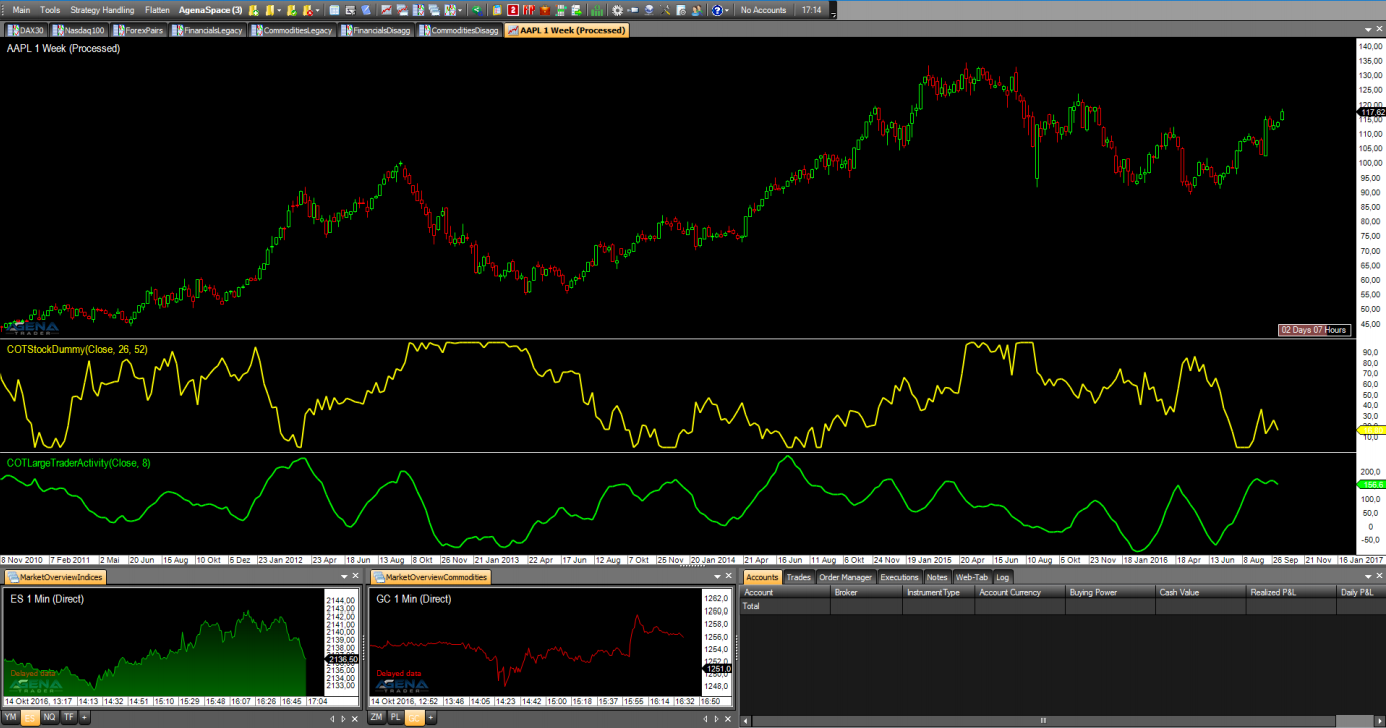
The COTLargeTraderActivity indicator, like the COTStockDummy, is based not on real COT data, but instead on algorithmically calculated outputs. This indicator attempts to simulate the behavior of the large traders in markets for which no COT data is available. Here, the interpretation takes place analogously to the analysis of the NonCommercials in the standard COT indicators.As with the COTStockDummy, we point out that other indicators should be consulted, since we are not dealing with real COT data.
The following parameters are available for the COTLargeTraderActivity:
* **Period:** this is a period that is necessary for calculating the data. If you do not have detailed information about how this indicator works, please leave this period on the default setting.
#### Parameters
to be announced
#### Return value
to be announced
#### Usage
to be announced
#### Visualization
#### Example
to be announced