> For the complete documentation index, see [llms.txt](https://indicators.agenatrader.com/llms.txt). Markdown versions of documentation pages are available by appending `.md` to page URLs; this page is available as [Markdown](https://indicators.agenatrader.com/premium-indicators/cot-addon/cotaggregatedindexpositiondisaggregated.md).
# COTAggregatedIndexPositionDisaggregated
**The installation of the Technical Analysis Package is required in order to access this indicator.**
#### Description
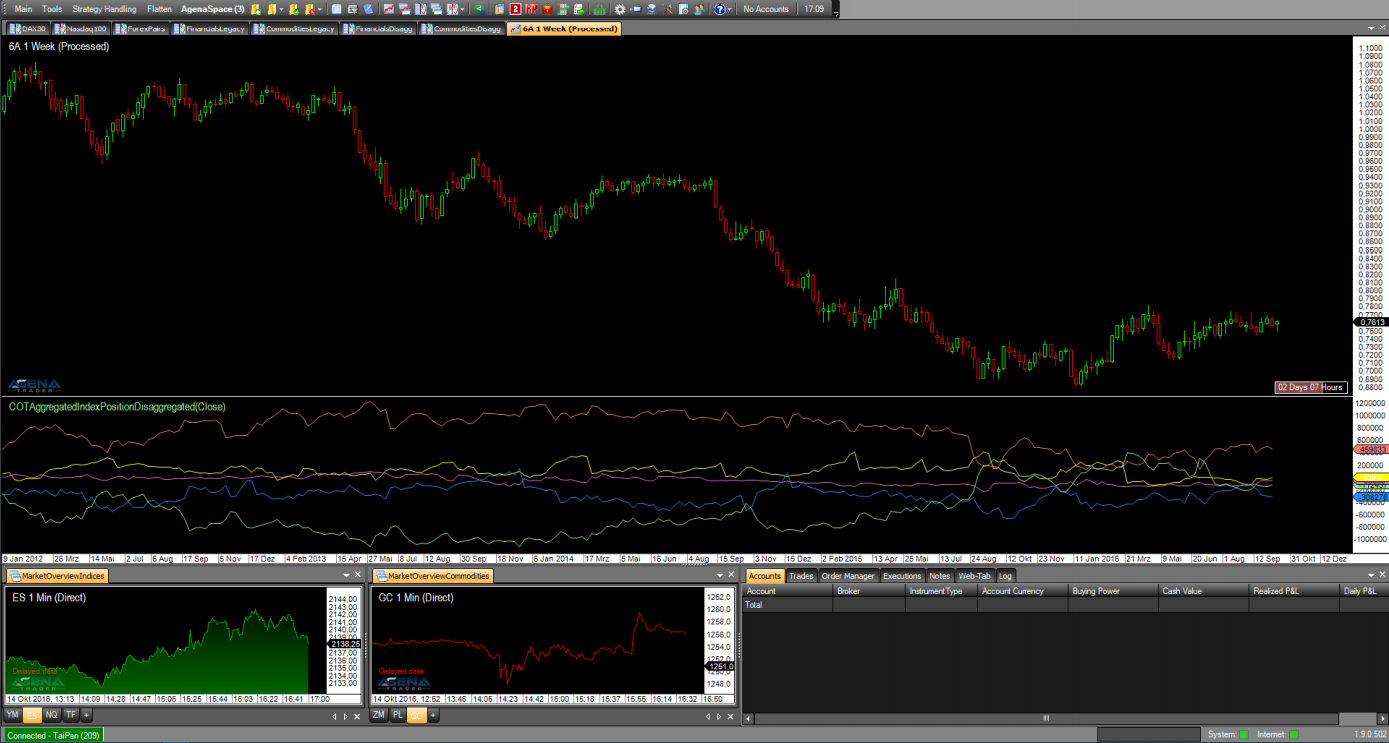
This indicator also works in the same way as the COTAggregatedIndexPositionLegacy; for interpretation and more detailed information, please read more under [*COTAggregatedIndexPositionLegacy*](https://agenatrader.github.io/AgenaIndicator-documentation/indicators_oscillators/#COTAggregatedIndexPositionLegacy). The difference here, in turn, consists in the usage of the detailed disaggregated data for calculating the indicator.
For the COTAggregatedIndexPositionDisaggregated, the following parameters are available:
* AddIndices:
* **DowJones:** select \[True] if the positions of the DowJones should be added to the overall result.
* **Nasdaq100:** select \[True] if the positions of the Nasdaq100 should be added to the overall result.
* **Russell2000:** select \[True] if the positions of the Russell2000 should be added to the overall result.
* **SP500:** select \[True] if the positions of the SP500 should be added to the overall result.
* Categories: Financial
* Here you can only select the categories of the Financials, since this indicator addresses 4 financial markets. However, you can load the indicator in Financials AND Commodities.
* Select \[True] for the categories for which the positions for the selected markets should be added up and displayed.
* Data base:
* **ReportType:** see [*COTReportLegacy*](https://agenatrader.github.io/AgenaIndicator-documentation/indicators_oscillators/#COTReportLegacy) – CotType
* Display:
* **LongPosition:** select \[True] to display the long positions of the desired market participants
* **ShortPosition:** select \[True] to display the short positions of the desired market participants
* **NetPosition:** select \[True] to display the net positions of the desired market participants
#### Parameters
to be announced
#### Return value
to be announced
#### Usage
to be announced
#### Visualization
#### Example
to be announced