> For the complete documentation index, see [llms.txt](https://indicators.agenatrader.com/llms.txt). Markdown versions of documentation pages are available by appending `.md` to page URLs; this page is available as [Markdown](https://indicators.agenatrader.com/premium-indicators/volume-addon/volume-oscillator.md).
# Volume Oscillator
#### Description
The Volume Oscillator makes use of the difference between the moving averages based on the trading volume, with a similar result to the MACD or to any other oscillator in which moving averages are used for calculation.
#### Interpretation
The Volume Oscillator is used to determine the trend strength. If developments in the price of the share are accompanied by disproportionate volume oscillator values, this should be regarded as highly relevant. In this way, the indicator can be used to filter out false signals. Values above zero mean that the shortest moving average of the volume is above the long-term moving average. IsSerieRising prices with a higher short-term volume indicate a bullish scenario.
#### Usage
```csharp
VolumeOscillator(int fast, int slow)
VolumeOscillator(IDataSeries inSeries, int fast, int slow)
VolumeOscillator(int fast, int slow)[int barsAgo]
VolumeOscillator(IDataSeries inSeries, int fast, int slow)[int barsAgo]
```
#### Return value
**double**
When using this method with an index (e.g. **VolumeOszillator**(12,26)\[**int** barsAgo] ), the value of the indicator will be issued for the referenced bar.
#### Parameters
inSeries Input data series for the indicator
fast Number of bars for the calculation of the fast moving average
slow Number of bars for the calculation of the slow moving average
#### Visualization
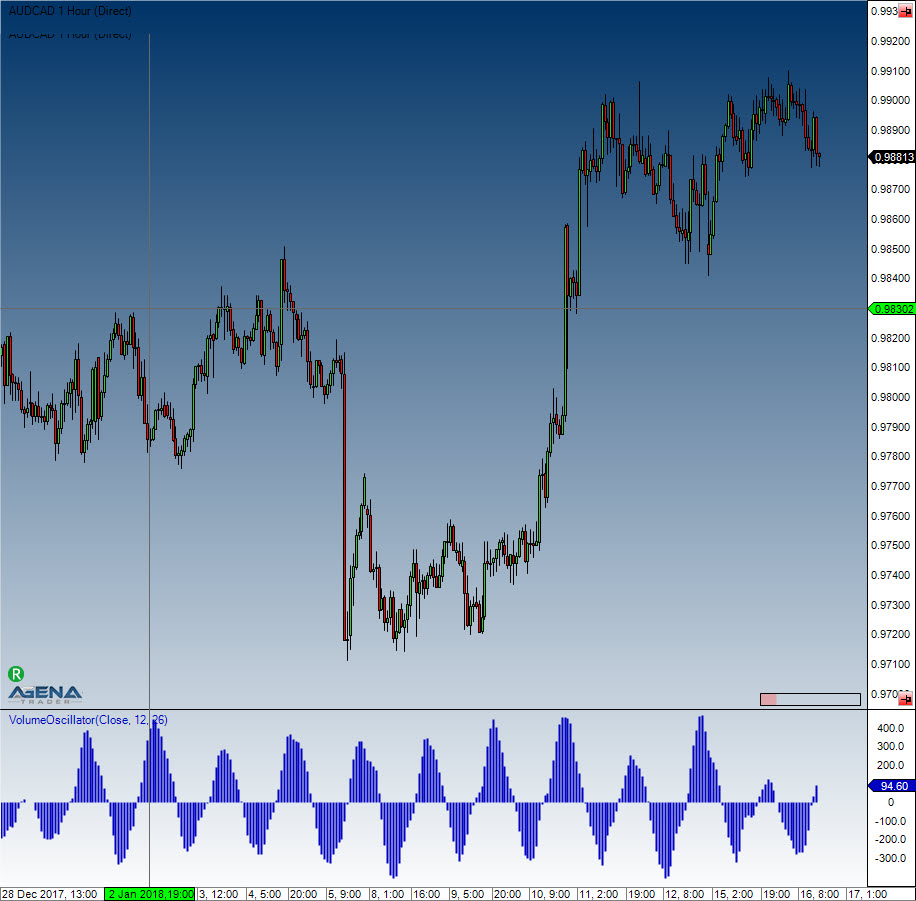
#### Example
```
//Output of the current value for the Volume Oscillator
Print("The current value for the Volume Oscillator is: " + VolumeOszillator(12,26)[0]);
```