> For the complete documentation index, see [llms.txt](https://indicators.agenatrader.com/llms.txt). Markdown versions of documentation pages are available by appending `.md` to page URLs; this page is available as [Markdown](https://indicators.agenatrader.com/premium-indicators/cot-addon/cotcommercialindex.md).
# COTCommercialIndex
### COTCommercialIndex
**The installation of the Technical Analysis Package is required in order to access this indicator.**
#### Description
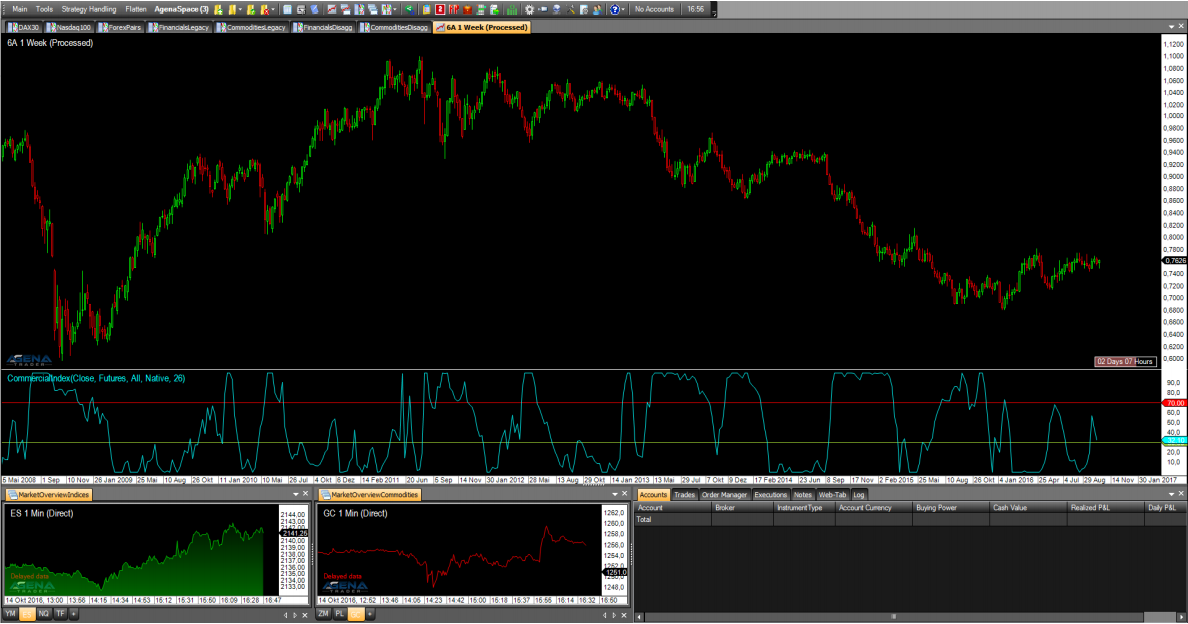
The CommercialIndex is a very telling COT indicator. It puts two of the most important COT-parameters in relation to each other – the net position of the commercials to the open interest. These values are normalized and subsequently outputted. A high value of the CommercialIndex shows strong buying behavior of the commercials, whereas a low value shows strong sell pressure from the commercials. The parameters are similarly structured as with the COTReport.
The following parameters are available for the COTCommercialIndex:
* **CotType**: see [*COTReportLegacy*](https://agenatrader.github.io/AgenaIndicator-documentation/indicators_oscillators/#COTReportLegacy) – CotType
* **ReportType:** see [*COTReportLegacy*](https://agenatrader.github.io/AgenaIndicator-documentation/indicators_oscillators/#COTReportLegacy) – ReportType
* **StochasticPeriod:** see [*COTReportLegacy*](https://agenatrader.github.io/AgenaIndicator-documentation/indicators_oscillators/#COTReportLegacy) – ComparativePeriod
* **OpenInterestType:** Here you can choose between \[Native/Stochastic], which determines whether absolute values or the stochastic values of the positions of the commercials should be used for the calculation. The default setting is “Native”; do not change this if you wish to keep the informative value of the indicator.
#### Parameters
to be announced
#### Return value
to be announced
#### Usage
to be announced
#### Visualization
#### Example
to be announced