> For the complete documentation index, see [llms.txt](https://indicators.agenatrader.com/llms.txt). Markdown versions of documentation pages are available by appending `.md` to page URLs; this page is available as [Markdown](https://indicators.agenatrader.com/standard-indicators/balance-of-power-bop.md).
# Balance of Power (BOP)
#### Description
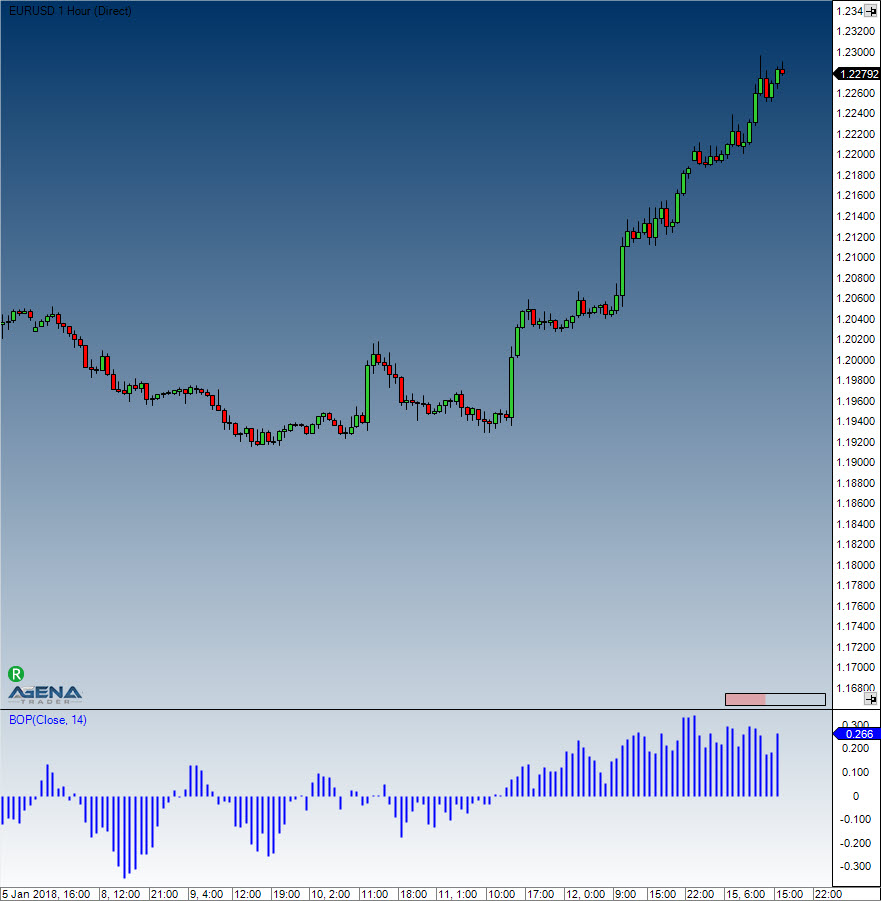
The developer of the Balance of Power indicator was Igor Livshin, who came up with the BOP in August 2001. The BOP indicator represents the strength of the buyers (bulls) vs. the sellers (bears), and oscillates between -100 and 100. The calculation of the BOP = (close - open) / (high - low).
#### Interpretation
A directional change of the BOP can be interpreted as a warning signal and will generally be followed by a price change.
#### Usage
```csharp
BOP(int smooth)
BOP(IDataSeries inSeries, int smooth)
BOP(int smooth)[int barsAgo]
BOP(IDataSeries inSeries, int smooth)[int barsAgo]
```
#### Return value
**double**
When using this method with an index (e.g. **BOP**(5)\[**int** barsAgo] ), the value of the indicator will be outputted for the referenced bar.
#### Parameters
inSeries Input data series for the indicator
smooth Settings for the smoothing
#### Visualization
#### Example
```csharp
//Output of the value for the BOP with a smoothing of 5 periods
Print("The Balance of Power value is: " + BOP(5));
```