> For the complete documentation index, see [llms.txt](https://indicators.agenatrader.com/llms.txt). Markdown versions of documentation pages are available by appending `.md` to page URLs; this page is available as [Markdown](https://indicators.agenatrader.com/standard-indicators/range.md).
# Range
#### Description
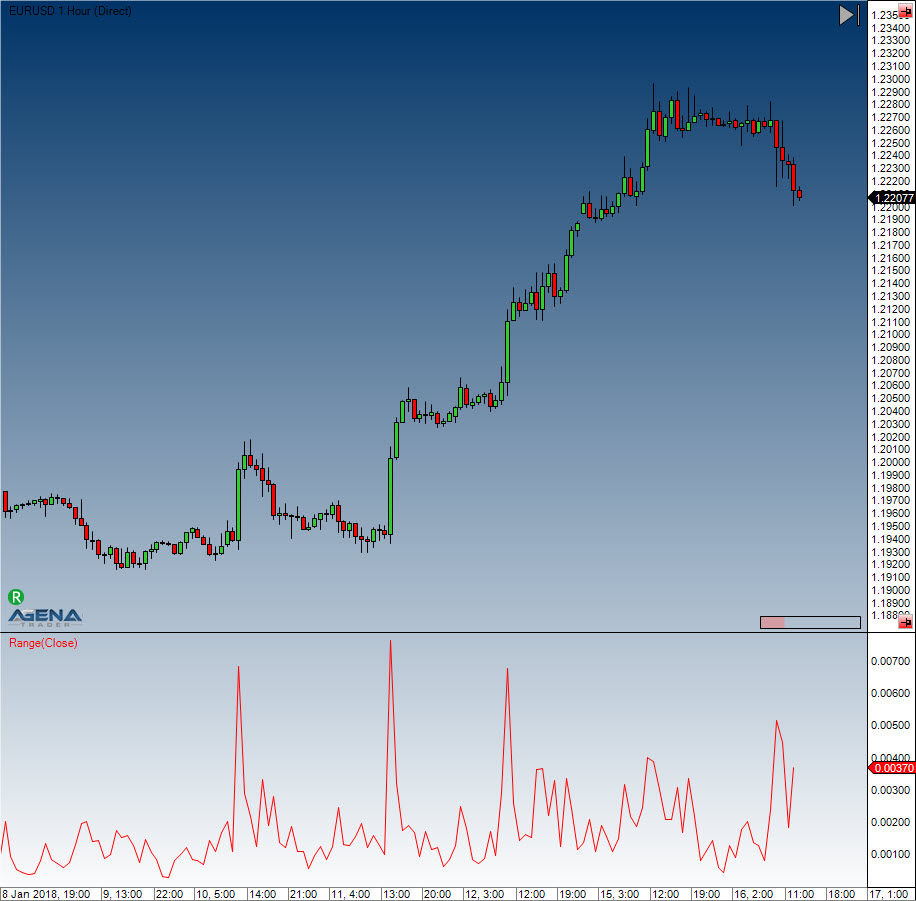
Range delivers the span/difference between the high and low in ticks for each bar. The range is always greater than or equal to 0.
#### Usage
```csharp
Range()
Range(IDataSeries inSeries)
Range()[int barsAgo]
Range(IDataSeries inSeries)[int barsAgo]
```
#### Return value
**double**
When using this method with an index (e.g. **Range**()\[**int** barsAgo] ), the range value for the referenced bar will be outputted.
#### Parameter
inSeries Input data series for the indicator
#### Visualization
#### Example
```csharp
//Output for the value of the range
Print("The current bar has a range of: " + Range()[0]);
//Identical output
Print("The current bar has a range of: " + High[0] - Low[0]);
```